
A fully customizable
chess research tool
chessrat.io has processed over 30 million competitive online chess games into a searchable opening tree, connecting each position to an engine evaluation and showing the probability of either side making a mistake within every variation branch.
chessrat.io is being built in the open: features are added and refined continuously, and your feedback shapes what comes next.
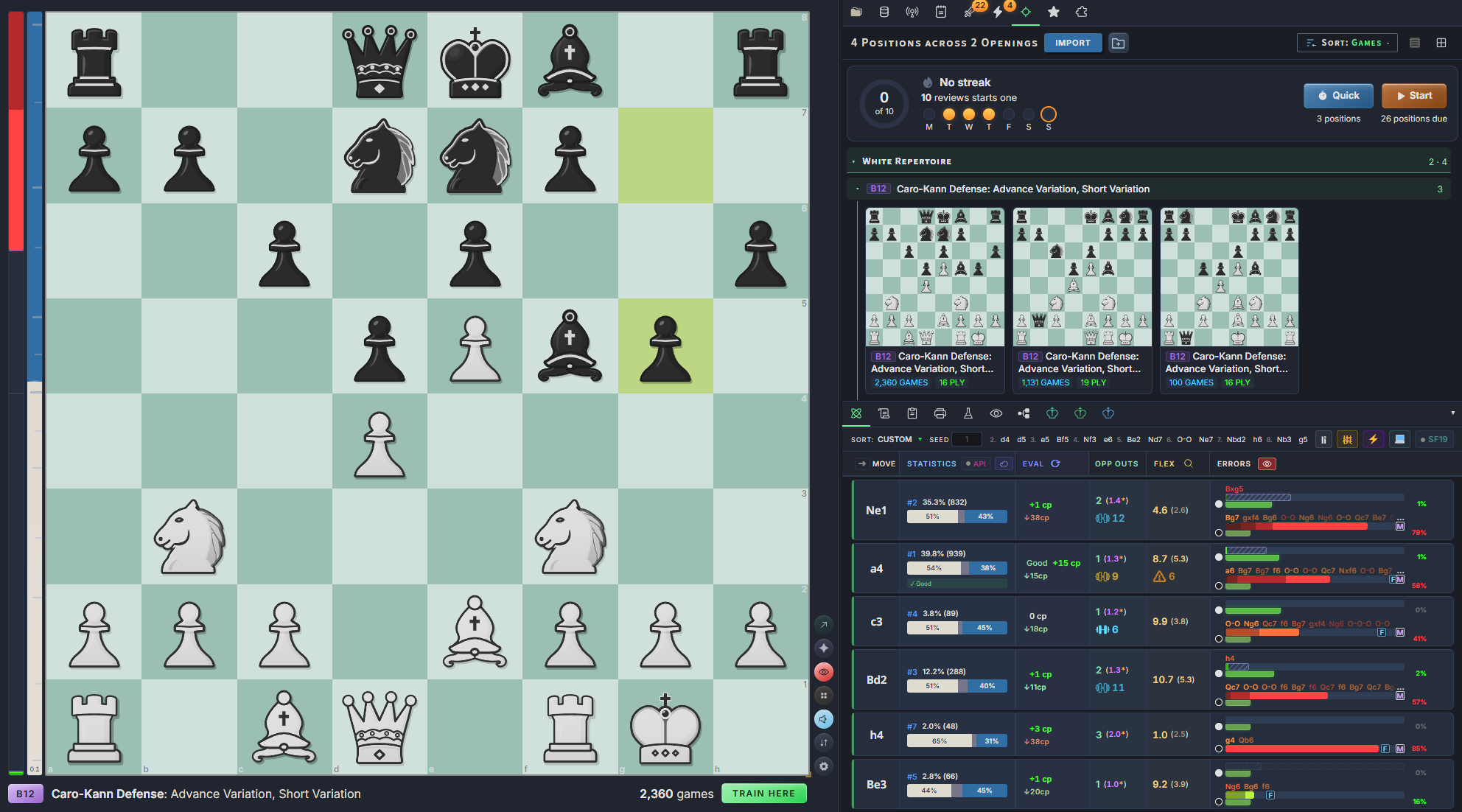
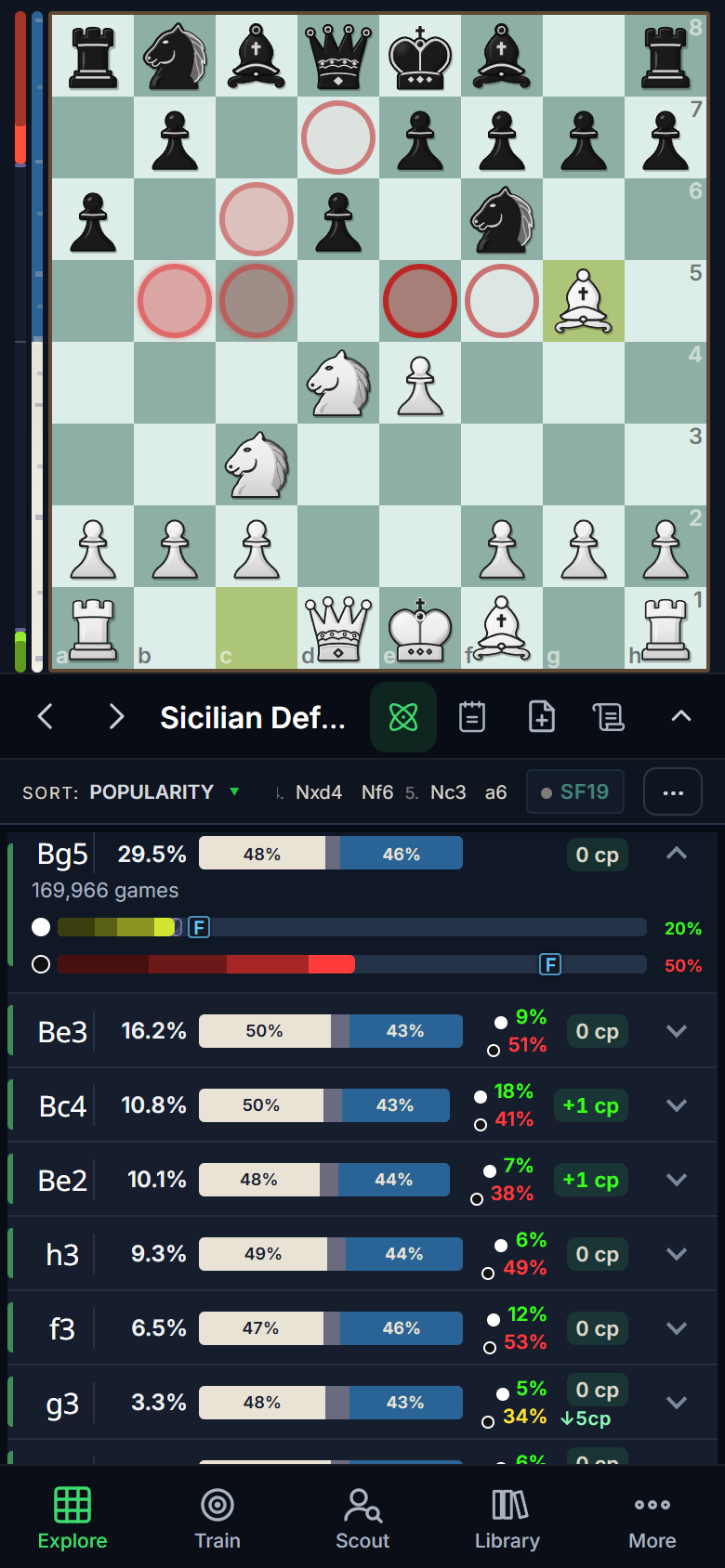
Most explorers only display two things:
popularity and win rate.
A typical opening explorer shows you how often a move is played and how it scores. chessrat.io does that too! But it also shows where competitive players go wrong, so you can visit the lines your opponents are least likely to handle.
Human error probability
Error bars show the chance of a mistake or blunder for each side down every branch, measured from actual games played online.
Per side, per branch, from >30M gamesCatalogs of the whole database
Twelve pre-computed catalogs sweep the entire database for positions worth a second look. Watch the catalogs automatically sync filtered results as you make moves on the board!
12 catalogs across >7.3M positionsA full engine in your browser
Stockfish 19 runs locally as threaded WebAssembly with NNUE, processing at millions of nodes per second, with no queue and no per-analysis limit.
Plus >390M cloud evaluations built inEvery candidate move has a pre-calculated variation branch.
Win rate only tells you half the story.
Visualized error probability gives you the full picture.
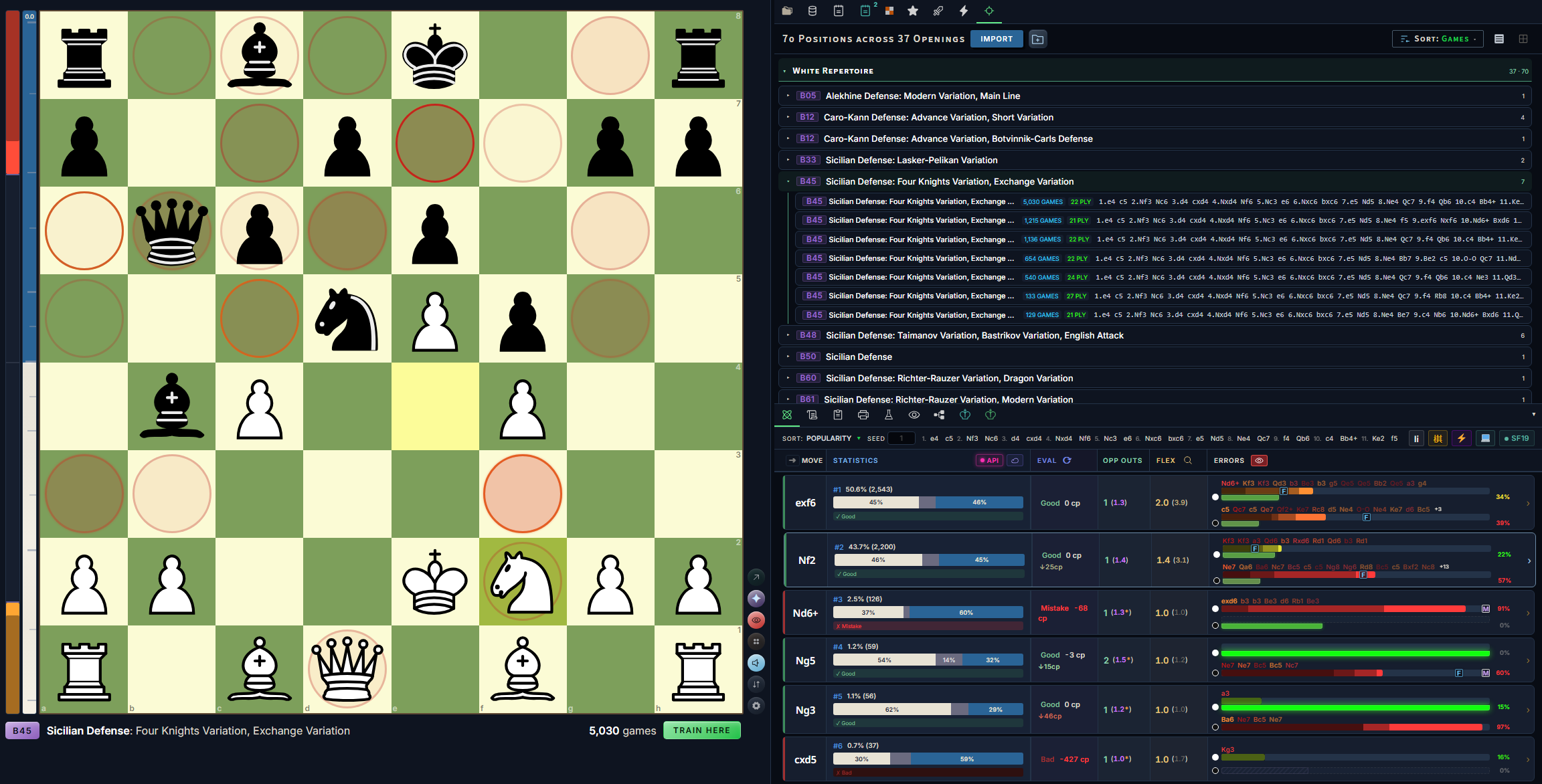
1. e4 c5 2. Nf3 d6 3. d4 cxd4 4. Nxd4 Nf6 5. Nc3 a6 White to move
Hover a move to preview it on the board. Click to pin it.
5Error bars
The part that makes chessrat.io different. For every candidate move, two bars: how often White, and how often Black, makes a mistake or blunder in actual games played either online or over the board.
"95% chance of no white errors through this subtree"
Hover any bar in the app and it reads out like this.
Two moves can score the same and still be very different to play. The error bars tell you which one your opponent is more likely to get wrong.
- 1Human resultsPopularity and win rates drawn straight from the game database.
- 2Engine evaluationChessDB and Lichess cloud evals, with Stockfish on demand.
- 3Opp Outs & FlexHow many sound replies the opponent has, and how many sound replies you'll have after the opponent's reply.
- 4Book weights & ECOOpening book weights, plus ECO codes with opening names at every junction.
- +Sharp-position markersOnly-move badges, surprise markers and escape hatches (sound, novel moves).
Find the variations that are worth your time.
Start from the whole database, from a single opening, or from one opponent.
Catalogs
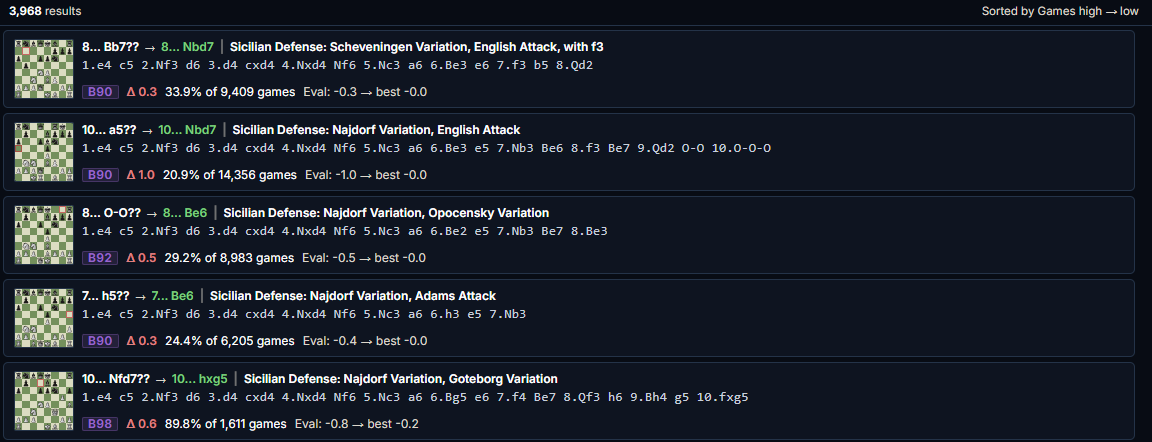
Twelve pre-computed catalogs sweep the entire database for positions worth a second look. Catalog entries show mistakes, refutations, root variations, game count, and frequency relative to other moves played. Two new catalogs: Only Moves finds long runs of only moves, and Forced Draws finds perpetuals and repetitions. From 1 December, the four newest catalogs (Squeeze+, Lopsided, Only Moves and Forced Draws) are part of Pro.The four newest catalogs (Squeeze+, Lopsided, Only Moves and Forced Draws) are part of Pro.
Search & sort
A search builder with 11 ready-made presets and 48 scoring signals you can weight however you like. Want quiet moves that punish the popular reply? Build it, and it ranks every candidate move by how well it fits your objective.
Opening reports
Pick any variation for a report that pulls every catalog entry inside it. Turn it into a printable PDF with board diagrams, or export it as PGN.
Teacher-friendly.Beyond the database
Pull live games from the Lichess Explorer for positions too rare for the offline tree, or switch on Local Ponder to have Stockfish re-evaluate every candidate move in your browser.
Eleven datasets
Switch the explorer between eleven different databases, split by era and time control, online and OTB. Error bars may vary between each dataset's games. Elite is free on every account; from 1 December, the other ten are part of Pro.
Games behind each move
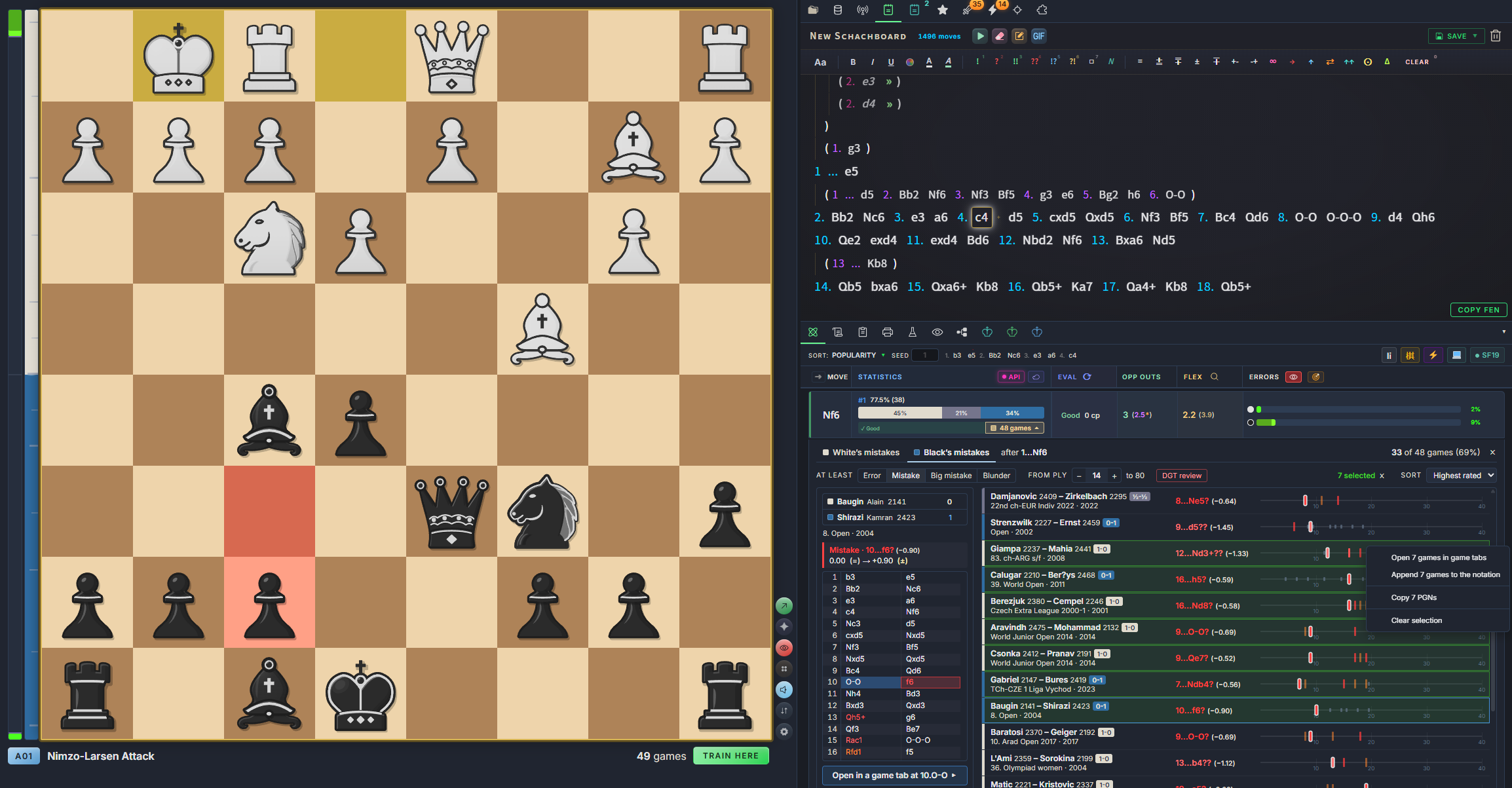
In the over-the-board datasets, click a move's game count to open the game list, where each game comes with its own error timeline. Sort errors by severity and games by year and rating. Part of Pro from 1 December.
Game tabs
Double-click any database game to open it in its own tab. Annotate it, then save it back to the database or to the Studied Games folder.
Scout your next opponent by their Lichess username.
The same error bars, aimed at one person. Instead of where everyone goes wrong, see where this player goes wrong, and which lines to steer them into.
From 1 December, freeFree accounts get one Scout report every 30 days; Pro is unlimited.
Enter a Lichess username
chessrat.io pulls that player's games.
Get a side-specific opening report
Their openings, split by the side they play.
Open it in the Explorer
The error bars switch to that player alone, showing exactly where they go wrong and which lines to steer them into.
Learn any player’s openings, then take them on yourself.
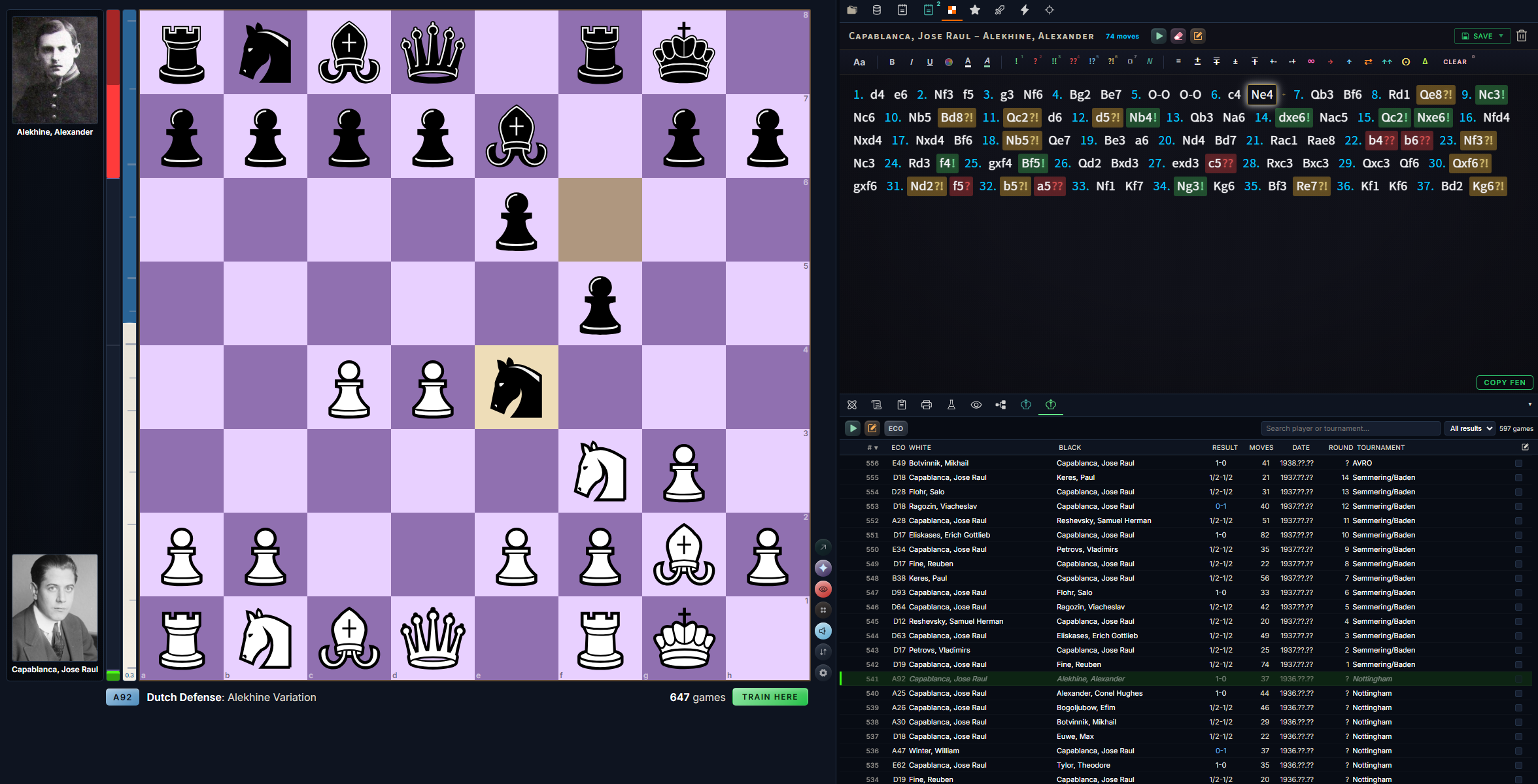
At the click of a button, turn any player’s games into an opening book. chessrat.io seamlessly integrates your opening books into the engine trainer, emulating their exact opening style. Our example: former World Champion José Raúl Capablanca.
Open a database and right-click a player
A game database or PGN file opens in its own tab, with the game list beside the board. Right-click any player to scout them, or to build an opening book from their games.
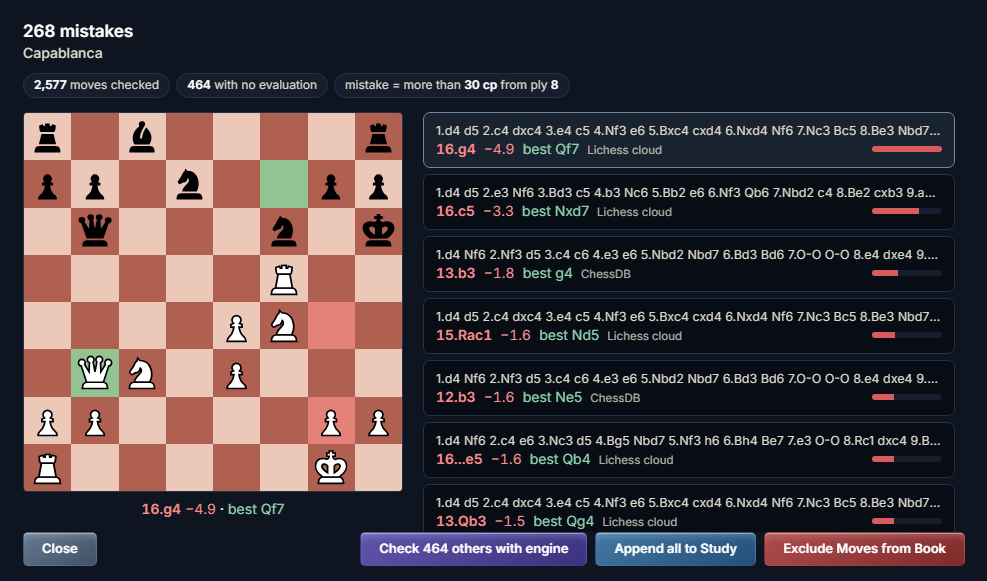
Check the book for mistakes
chessrat.io checks the book's moves against engine evaluations and lists each mistake beside the better move. Append them all to a study, or exclude them from the book.
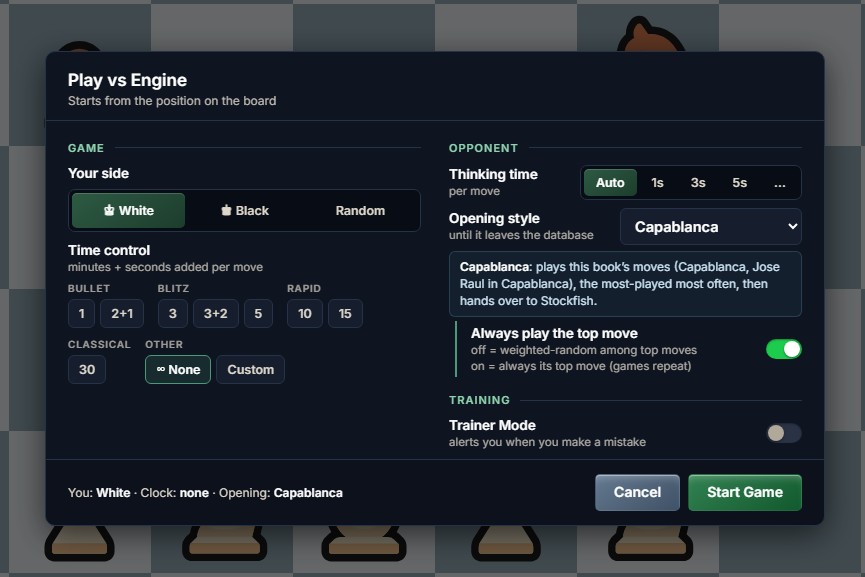
Play against your new opening book
In Play vs Engine, choose the opening book in the "Opening style" drop-down. The engine plays the book's moves before calculating its own replies.
Turn your research into a practice-ready repertoire.
Anything you research can be organized and saved into a study or a practice repertoire.
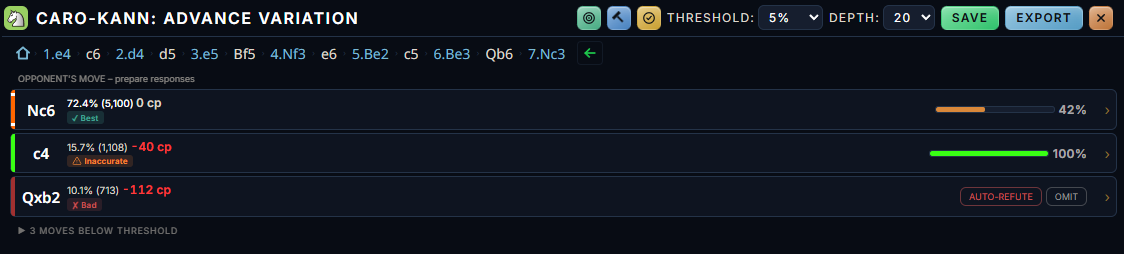
Build phase: each opponent reply with its frequency, engine evaluation and current coverage, and a threshold that hides the less common moves.
- 1Every reply, gradedFrequency, engine evaluation, and a quality classification for each move.
- 2ThresholdHide the less common moves and prepare for what you'll actually face.
- 3Coverage barsWhat variations you've prepared for, and what variations you might have overlooked.
- 4Auto-refute and OmitChoose to omit refutations for bad moves, or let the program fill in the blanks.
Hover or tab through the notes to spotlight each part of the screenshot.
Repertoire builder
Build White and Black repertoires move by move, with automatic transposition resolution and coverage bars showing what you've prepared for and what you've overlooked.
Auto-build
Choose from six strategy presets (Hammer, Solid, Trappy and more) and generate a repertoire suited to your playstyle.
Studies
Save your analysis and personal notes into custom folders, sortable by ECO code, creation date and date last modified.
Bookmarks
Save positions as you meet them, kept in ECO-organized folders.
Middlegames
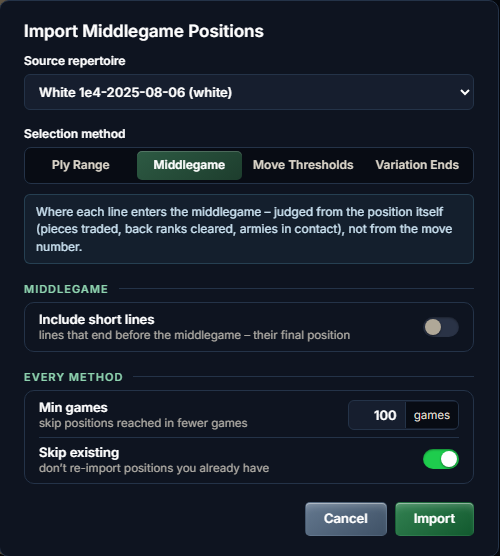
Your repertoire already knows where its middlegames begin. chessrat.io finds them automatically and imports them in a batch, filed by ECO and opening name, so you can study the positions your openings actually lead to.
- Judged from the position, not the move number. Pieces traded, back ranks cleared, armies in contact.
- Batch import. Set a minimum game count, include short lines, and skip the positions you already have.
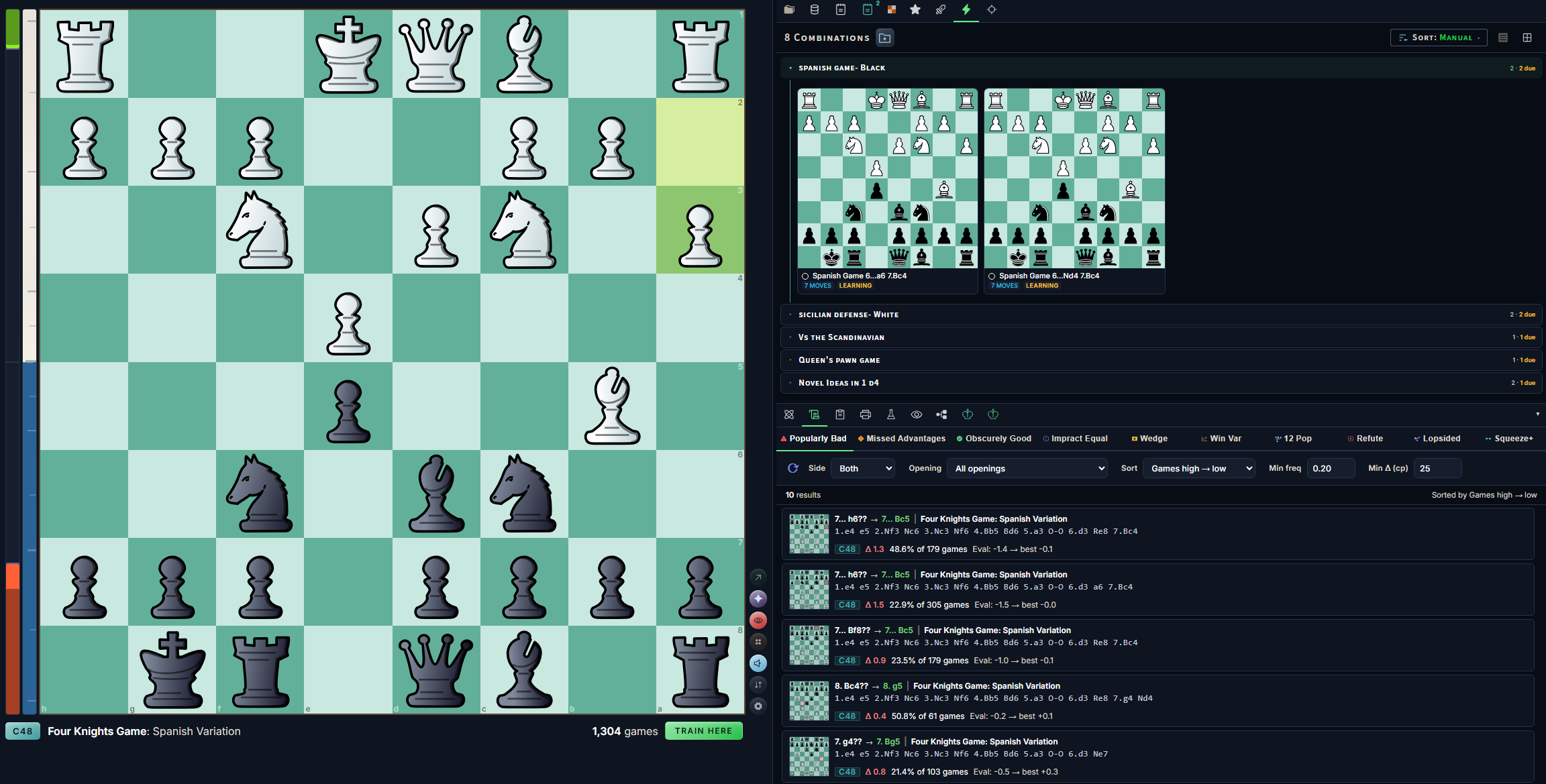
Combinations
Save tactical sequences into folders and groups, then drill them by repetition. Useful for learning bits of the middlegame one at a time.
- Your folders. By opening and side, or however you think about them.
- Reviews come due. Each folder shows how many combinations are due.
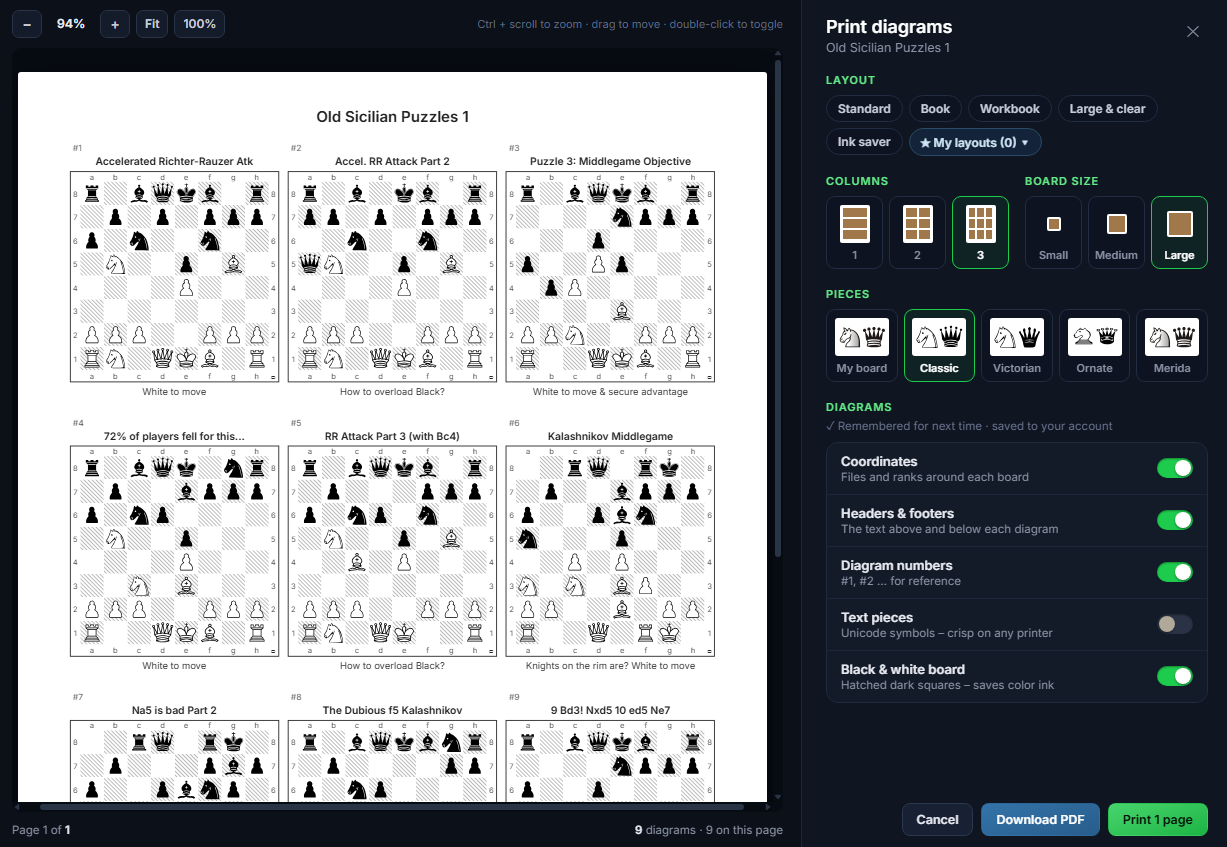
Diagrams
Assemble printable diagram sheets in the order and format you choose, with proper page breaks and a header and footer for each diagram.
- Layouts. Standard, Book, Workbook, Large & clear and Ink saver, or save your own.
- Live preview. One to three columns, three board sizes, five piece sets.
- Print or PDF. A black & white board with hatched dark squares saves color ink.
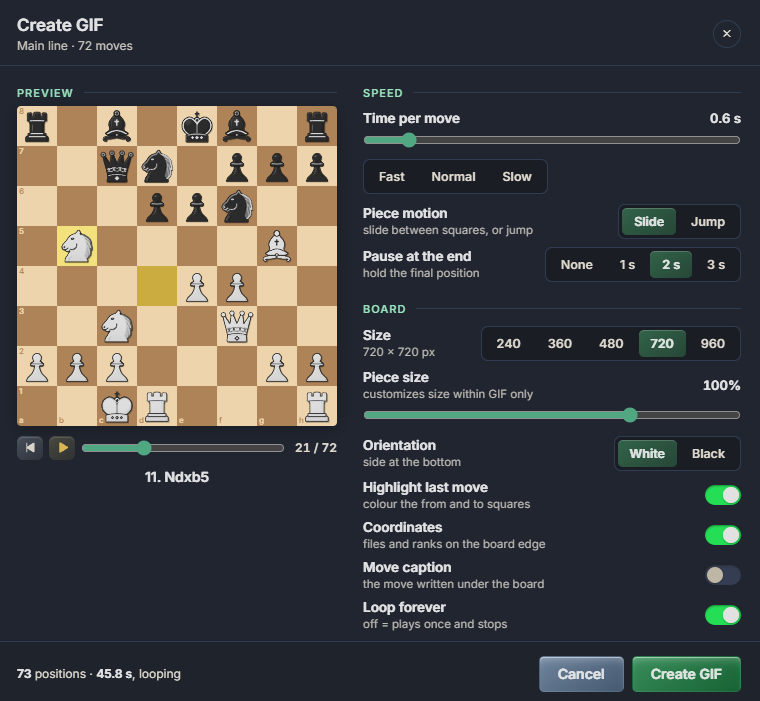
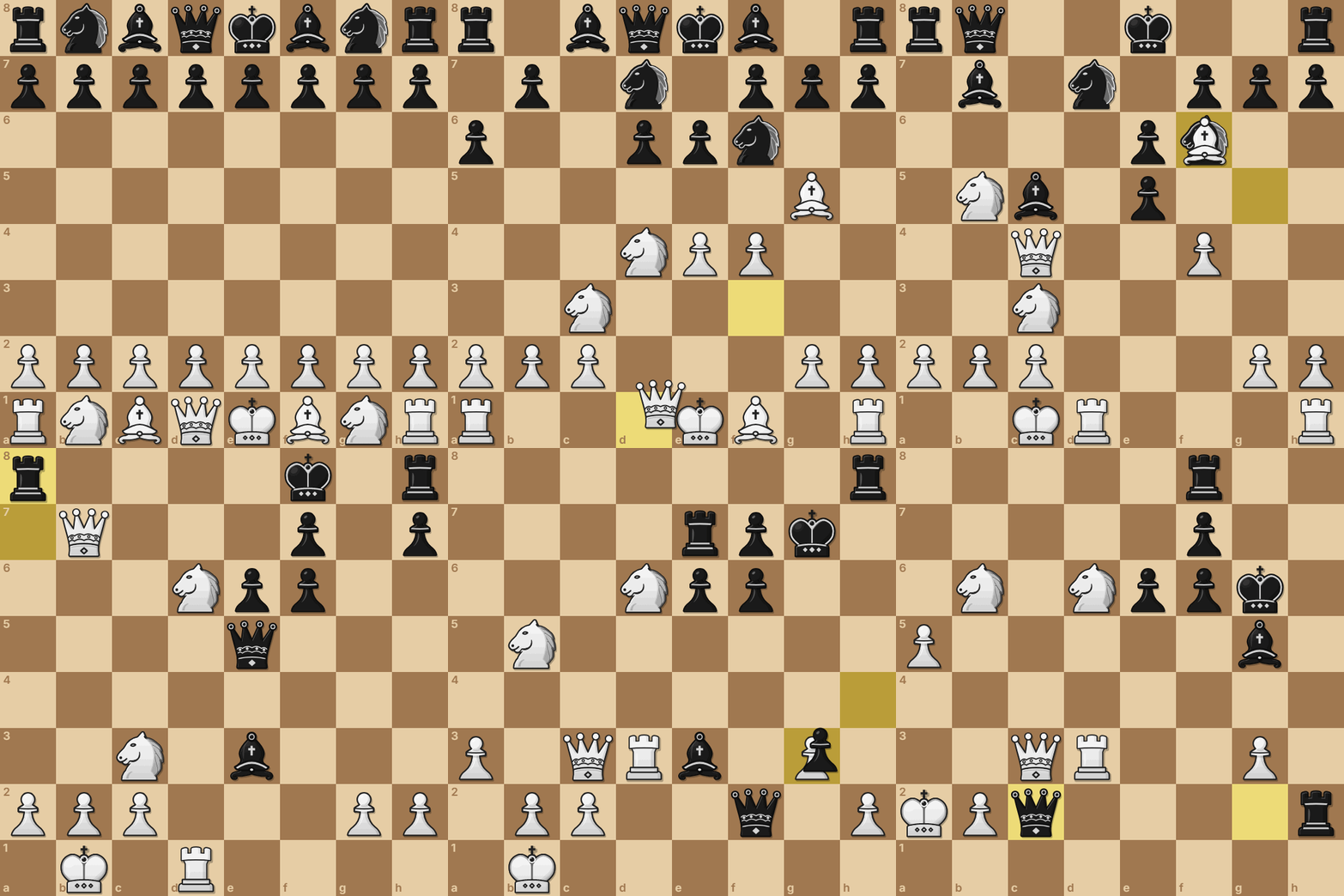
Animated GIFs
Turn a full game or highlighted stretch of moves into a GIF using your own board's colors and pieces.
- Speed. Time per move, slide or jump, and a pause at the end.
- Board. Five sizes up to 960 px, piece size and orientation.
- Extras. Last-move highlight, coordinates, move captions and looping.
Rehearse your repertoire, then test yourself against the engine trainer.
The Practice tab schedules your reviews so your lines stick. Once you feel prepared, play the engine from the position of your choice.

The Practice tab
From passive review to a daily habit: everything you save comes back right before you'd forget it.
- Daily practice. Spaced repetition schedules every repertoire line, combination and middlegame. One button runs today's queue.
- Goal & streak. Set a daily goal and keep a day streak, with freezes for days off and optional email reminders.
- From your games. Finds where your Lichess games left your repertoire or went wrong, and turns those moments into practice.
- Variation reel. Auto-play your variations hands-free, with branch groups and look-ahead.
- Walkthroughs & quiz. Let the app lead you through your lines, then test your memory.
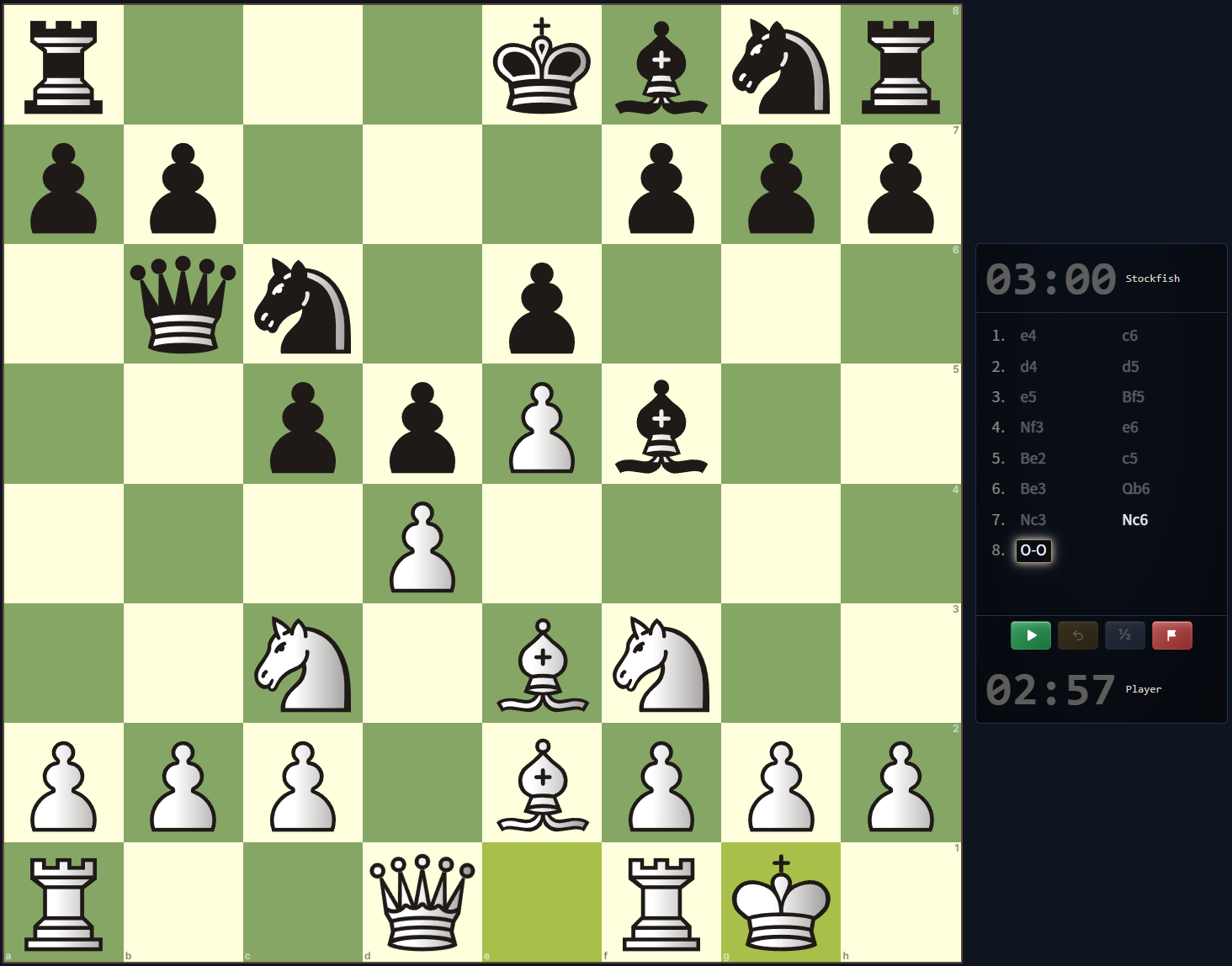
Play the engine
Stockfish 19 is run locally in your browser, so a training game can start instantly from any position of your choosing.
- Highly Configurable Play. Any time control, from any position, from either side. Games are saved to Studies automatically, organized by ECO.
- Trainer mode. Test your strength with a safeguard: retry your mistakes in real time (or stick with your mistakes, it's up to you!)
- Opening personalities. Decide for yourself how the engine trainer plays in the opening: you can use a move explorer sort filter, a custom-made opening book from any player's games, or with one of your own custom search models.
Puzzles
A full tactics trainer, built on more than 2.7 million Lichess puzzles.
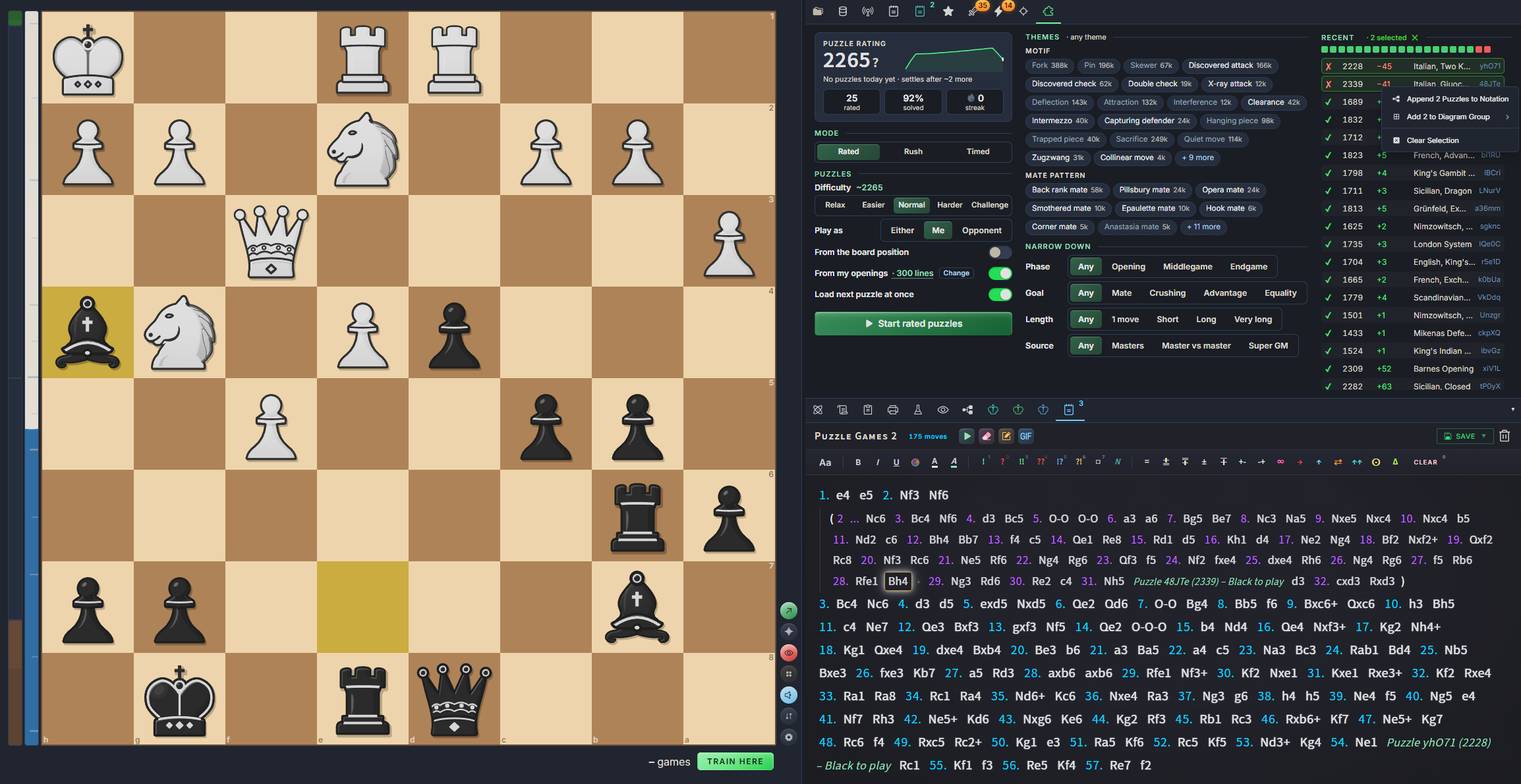
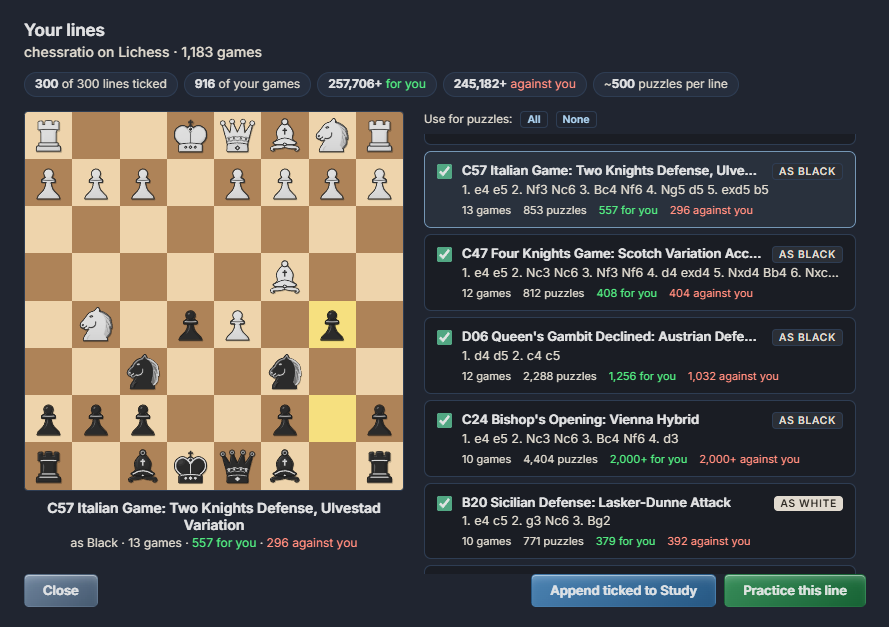
Rated, Rush & Timed
Play rated puzzles where your first attempt counts, beat the clock in Rush with three strikes, or chase a high score in Timed rounds.
From your openings
Use any imported game database for puzzles directly related to the opening theory within each game.
From the board
Choose to only test yourself on puzzles that originate from the position on the current analysis board.
Analyze my games
Turn your own Lichess games into tactics puzzles: find out which tactical themes you're strong at spotting, and which ones you need to practice.
Every chance, found or missed
The local engine reads through your recent online games to find every moment you had a winning tactic, whether you played it correctly, and every tactical shot you gave to your opponent.
Strengths & weaknesses
A tactical rating, broken down by theme (forks, pins, skewers, and more!), by game phase, and by time control, so you can further understand your tactical strengths & weaknesses.
Practice your misses
Retry all of your games' slip-ups and tactical opportunities as puzzles: upon completion, every puzzle links back to the game it came from & can be opened in the analysis board for further review.
Everything you'd expect, plus the half that was missing.
chessrat.io keeps the basics every explorer gets right, and adds what you can only learn by measuring mistakes across millions of games.
| Feature | A typical opening explorer | chessrat.io |
|---|---|---|
| Move popularity | Yes | Yes |
| Win, draw and loss rates | Yes | Yes |
| Engine evaluation | Sometimes | Yes |
| Mistake probability for each sideMeasured from actual games, for every candidate move | No | Yes |
| Error bars for over-the-board games11 Total datasets, 10 of which have errors measured up to 80 ply (40 full moves!) | No | Yes |
| Opponent Outs & FlexibilityHow many sound replies the opponent has, and how many sound replies you'll have after the opponent's reply | No | Yes |
| Barbell & Caution marksBarbells flag moves that leave your opponent one good move, turn after turn; caution signs flag the same for you | No | Yes |
| Board overlays on hoverHover a move to see its future mistakes, forcing moves and rare ideas on the board | No | Yes |
| Instant catalog search for critical positions12 pre-computed catalogs: Popularly Bad, Missed Advantages, Obscurely Good, and 9 more | No | Yes |
| Opponent-specific error lookup & visualization | No | Yes |
| Opening book from any player or databaseCheckable for mistakes, easy training hookup | No | Yes |
| Repertoire builder and trainer in the same place | No | Yes |
| Spaced-repetition practiceLines, combinations and middlegames come back when they're due, plus slips from your own games | No | Yes |
| Puzzles from your own openings & gamesRated, Rush and Timed, over 2.7 million puzzles | No | Yes |
"A typical opening explorer" means a move-tree view on its own. Plenty of chess sites offer engines, repertoire tools or trainers elsewhere; chessrat.io puts them all next to the same 30-million-game tree.
chessrat.io delivers one workspace for research, preparation and practice.
Every tool below lives in the same app, working from the same opening tree. And everything you make is exportable.
Analyze
Every candidate move, fully annotated.
- Human resultsPopularity and win rates from the game database.
- Engine evaluationChessDB and Lichess cloud evals, Stockfish on demand.
- Error barsMistake and blunder probability for each side.
- Sharp-position markersOnly-move badges, surprise markers, escape hatches.
- Book weights & ECOOpening names at every junction.
- Stockfish 19, locallyThreaded WebAssembly with NNUE. No queue, no per‑analysis limit.
- Piece sets & boardsOver 60 piece sets, piece size and saved presets.
Explore
Find the variations worth your time.
- CatalogsTwelve pre-computed sweeps of the whole database.
- Search & sort11 presets and 48 scoring signals you can weight.
- Player ScoutOpening report and error bars for one Lichess player.
- Game databases & PGNOpen a database or PGN file in its own tab.
- Opening booksFrom any player's games, checked for mistakes.
- Opening reportsPrintable PDF with diagrams, or PGN.
- Live broadcastsTop events from Lichess with running clocks; games that follow your repertoire are tagged.
- Lichess Explorer gamesLive games for positions too rare for the offline tree.
- Local PonderStockfish re-evaluates every candidate move.
- Eleven datasetsElite, Broadcasts, Caissa and Opening Reference.
- Games behind each moveFollow a move's games to their next mistake.
Build
Organize and save your research.
- Repertoire builderWhite and Black, with transpositions resolved and coverage bars.
- Auto-buildSix presets: Hammer, Solid, Trappy, and more.
- StudiesCustom folders, sortable by ECO, created and last modified.
- Bookmarks & middlegamesECO-organized folders; middlegames found from the position itself, with batch import.
- CombinationsSave tactical sequences and drill them as reviews come due.
- DiagramsPrintable sheets in your order and layout, with a header and footer per diagram; print or download a PDF.
- Export everythingEverything you make is exportable.
- Animated GIFsAny line, in your board's colors and pieces.
Train
Make your preparation stick.
- Daily practiceSpaced repetition across lines, combinations and middlegames.
- Goal & streakDaily goal, day streak, freezes and email reminders.
- From your gamesYour own Lichess slips, turned into practice.
- Guess the movePredict the next move in live broadcast games for points.
- PuzzlesRated, Rush and Timed, from the board or your openings.
- Variation reelHands-free auto-play with branch groups and look-ahead.
- Walkthroughs & quizGuided walkthroughs and quiz mode in the Practice tab.
- Play vs StockfishAny time control, any position, either side; games saved to Studies by ECO.
- Trainer modeRetry your mistakes in real time.
- Opening personalitiesPolyglot book, human popularity, your own search, or one player's book.
Frequently Asked Questions
What's free, and what's Pro?
Everything is free during the public beta, through 30 November.
From 1 December, these stayThese are free on every account: the opening tree, engine evaluations and error bars, eight of the twelve catalogs, the Elite dataset, Stockfish 19 in your browser, the repertoire builder, puzzles and practice.
Chessratio Pro adds the tools that cost us server time: the games behind each move, unlimited Player Scout reports (free: one every 30 days), the four newest catalogs, the ten other datasets, unlimited repertoires (free: two) and larger game databases (free: five at a time, up to 5 MB each).
New accounts get 14 days of Pro with no card needed. During the trial, game databases keep the free limit. Nothing you make is ever deleted: above the free limits it stays yours to open and export.
Can I change how the board looks?
The board and pieces can be changed by hitting the gear button located directly next to the bottom right corner of the analysis board. Pick from over 60 piece sets, savable with your own custom board colors and piece size as a preset. The other boards within the Practice and Trainer modes also save their own customizable settings.
Is chessrat.io finished?
chessrat.io is currently in active development and far from perfect: new tools, data updates and fixes ship regularly, and parts of the interface will still change as it's being further refined. If something breaks, looks wrong, or you'd like to see a feature, send a message to support@chessrat.io. Feedback is greatly appreciated!
Where does the data come from?
We've parsed over 30 million competitive online games into an opening tree of more than 7.3 million positions. Engine evaluations come from ChessDB and Lichess cloud evaluations (over 390 million!), with Stockfish on demand. For positions too rare for the offline tree, you can pull live games from the Lichess Explorer, or process your own data using the 'Quiet Force' button & the Opponent Outs Search Function. You can also switch to ten other datasets each split by era, time control, and game type. Each Dataset comes with its own measured errors, and all OTB Datasets have errors measured in games up to 80 ply (40 full moves).
What exactly is an error bar?
For every candidate move, chessrat.io shows the probability of each side making a mistake or blunder further down that variation branch, measured from games actually played online. A tooltip reads it out in plain words, for example "95% chance of no white errors through this subtree."
What are Barbells?
A barbell on a move means that if you play it, your opponent will have to find the only good move, turn after turn, just to keep the game level. In other words, your opponent must play a long series of “only moves” where every other choice loses ground & evaluation. You hand them a heavy weight and make them carry it for many moves. The orange caution sign is the mirror image: that move leaves the weight on you.
Where to find them: in the Move Explorer, under each move card’s numbers. The cyan barbell sits under Opponent Outs (it is about your opponent’s choices) and the caution sign under Flex (it is about yours). The number beside the icon is the length of the run: how many only moves come in a row. Hover the icon for the details.
What counts as an only move: a position where exactly one move keeps the evaluation within 10 centipawns of the engine’s best (or within 30 while still at 0.00 or better), and every alternative is clearly worse. The run is measured along the engine’s best line. Marks only appear on moves that keep the game level, within about a tenth of a pawn of equal. Barbells are symbols for force within more-or-less equal positions that help the moves with stronger ideas stand out.
Not every only move is equally hard. Quiet moves and intermezzo checks are the ones people actually miss, so they carry the run. Captures, recaptures and the only legal move still count toward the total, but they can never make a barbell on their own. By default, a mark needs a run of at least 6 only moves, with at least 4 of them as quiet moves or checks; both numbers can be changed in the settings (gear ▸ Interface ▸ Move cards).
Three kinds of barbell: a solid barbell means the run starts right after your move. A hollow, faded barbell means your move leads into a run a few moves later, along a route your opponent really takes (at least 5% frequency by default). A gold barbell is a move whose forceful route follows your opponent’s most popular reply at every step: the main line walks straight into it.
Sorting by them: the Barbell sort filters rank your moves by how many “only moves” your opponent can expect to face within the next 8 plies, weighted by how often they choose each reply. Circuit counts every separate run over the next 16 plies, Caution ranks the moves that leave you the fewest, and Cautionbell weighs the two against each other: the most amount of weight for your opponent and the least amount of weight for you.
Do I need to install a chess engine?
No. Stockfish 19 runs locally in your browser as threaded WebAssembly with NNUE: no queue, and no per-analysis limit.
Can I prepare for a specific opponent?
Yes. Enter their Lichess username in Player Scout to get a side-specific opening report. Open it in the Explorer and the error bars switch to that player alone, showing where they go wrong and which lines to steer them into.
Can I practice against a specific player's openings?
Yes. Open a game database or PGN file with their games, right-click the player's name field and select the "opening book" option to build from their games. You'll be given the option to check the book for mistakes; then, in Play vs Engine, choose the opening book in the "Opening style" drop-down. The engine plays the book's moves before calculating its own replies.
Can I export my work?
Everything is exportable. Opening reports can be printed as formatted PDFs with board diagrams or exported as PGN, and diagram sheets are laid out in the order and format you choose, then printed or downloaded as a PDF. Any line can also be saved as an animated GIF.
Is it useful for teaching?
Of course! Opening reports and diagram sheets were built with this in mind: everything can be converted into printable PDFs with custom diagram placement and piece sets. The Practice tab (sword icon) was designed to enable the creation of digital interactive lessons. For demonstration purposes, the 'Only Board' toggle is also located within the Interface settings.
Find out where your opponents really go wrong.
Open beta: every Pro feature is free through 30 November. Want to keep it after that? Pre-order Pro for $68 a year.
Join the open betaTry it for free Already have an account? Login